

Employee Directory
What this achieves
Section titled “What this achieves”The employee directory holds one record per person, covering who they are, what job they do, who they report to, and what they are paid. Nearly everything else in Humavera reads from these records, so the directory is the foundation the rest of the product is built on.
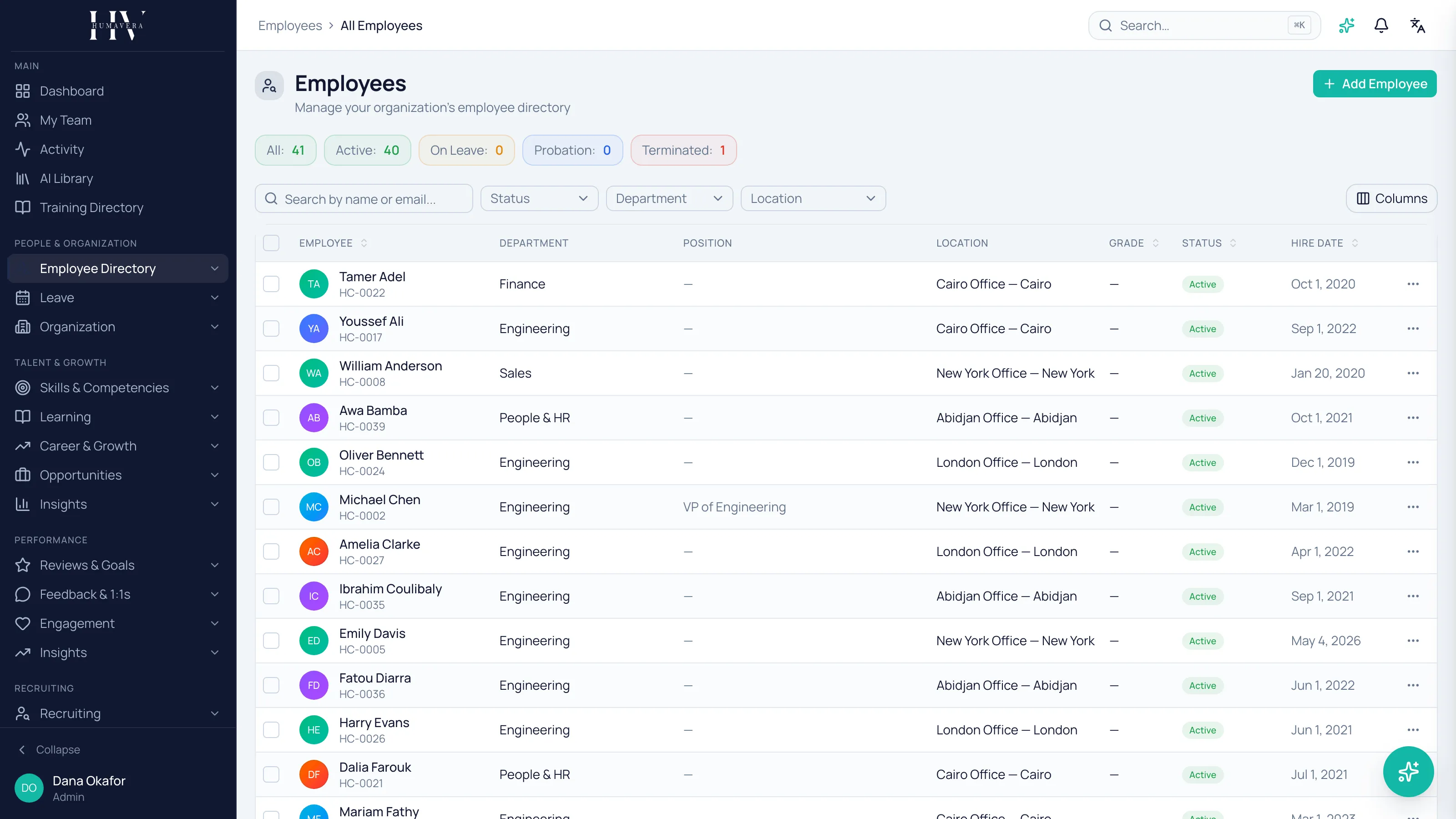
One record, many readers
Section titled “One record, many readers”An employee record is not an HR filing cabinet that only HR opens. Payroll takes the salary and the legal entity from it, leave takes the tenure and the manager, learning takes the department, and performance takes the reporting line.
That is why an incorrect record produces problems that appear somewhere else entirely, often weeks later.
Example: if James Whitfield’s department is left blank, he is missing from Engineering’s headcount, from department-scoped learning assignments, and from any report grouped by department — none of which look like a directory problem when someone reports them.
What the record holds
Section titled “What the record holds”| Option | Description |
|---|---|
| Personal and contact | Name, contact details, address, and personal information. |
| Job and reporting | Department, position, manager, and employment type. |
| Compensation | Salary, grade, and allowances, with an effective-dated history of every change. |
| Identity and compliance | Government identifiers such as passport, national ID, and tax reference. |
| Emergency contacts and dependents | Who to contact, and dependants where they affect benefit eligibility. |
| Documents | Offer letters, certificates, and similar files, stored against the person. |
| Education | Qualifications and education history. |
Sensitive fields are protected, not only hidden
Section titled “Sensitive fields are protected, not only hidden”Government identifiers are encrypted and masked by default. Revealing one is a deliberate, audited action rather than something that happens by opening a page, so there is a record of who looked and when.
Example: Priya Raman can see that Tom Hargreaves has a national insurance number on file without reading it. Revealing the number is a separate action, and it is logged.
Employees maintain part of their own record
Section titled “Employees maintain part of their own record”Employees can update their own contact details and similar personal fields. Fields with consequences — salary, department, manager, employment status — stay under HR control, because changing them changes pay, reporting, and entitlement.
Example: James Whitfield can correct his own phone number after moving flat. He cannot give himself a pay rise or change who he reports to.
Status is a governed lifecycle
Section titled “Status is a governed lifecycle”A person is not merely present or absent. Employees move through defined states — active, on leave, probation, notice, suspended, terminated — and the transitions between them are controlled rather than free-form. Downstream behaviour follows the state, which is why the state matters more than a note in a comment field.
Employment history is effective-dated
Section titled “Employment history is effective-dated”Changes are recorded as a timeline rather than by overwriting what was there. Hires, transfers, promotions, and every pay change keep their own effective dates, so you can answer what someone’s salary was on a given date, not only what it is now. Payroll depends on this: a payslip already issued must stay correct even after a later pay change.
Announcements
Section titled “Announcements”Announcements also live in this section, targeted at a role, a department, or a team, with read rates reported back. They are company communication rather than employee data, but they sit here because they are addressed to the same population the directory defines. Post a company announcement covers writing and targeting one.
What happens next
Section titled “What happens next”Get the directory right before configuring anything that reads from it. Once records exist, payroll can build pay groups over them, leave can calculate balances from tenure, and the org chart can draw reporting lines. Bulk loading and ongoing synchronisation from another system are handled through import and export in integrations.
Related
Section titled “Related”© 2025-2026 Humavera Documentation - BPilot Ltd. All Rights Reserved