

Set up your legal entities
What this achieves
Section titled “What this achieves”A legal entity is a registered company that actually employs people, and it carries that company’s country, currency, and tax rules. Humavera uses the entity on an employee’s record to decide how they are paid and which statutory deductions apply to them.
Create one entity per registered company. A group that employs through several companies records each one here: HC Corp has four, and every employee belongs to exactly one of them. The steps below add a single entity, so repeat them for each company you employ through.
Required role: Administrator.
-
Go to Organization → Legal Entities.
-
Select Add Entity.
-
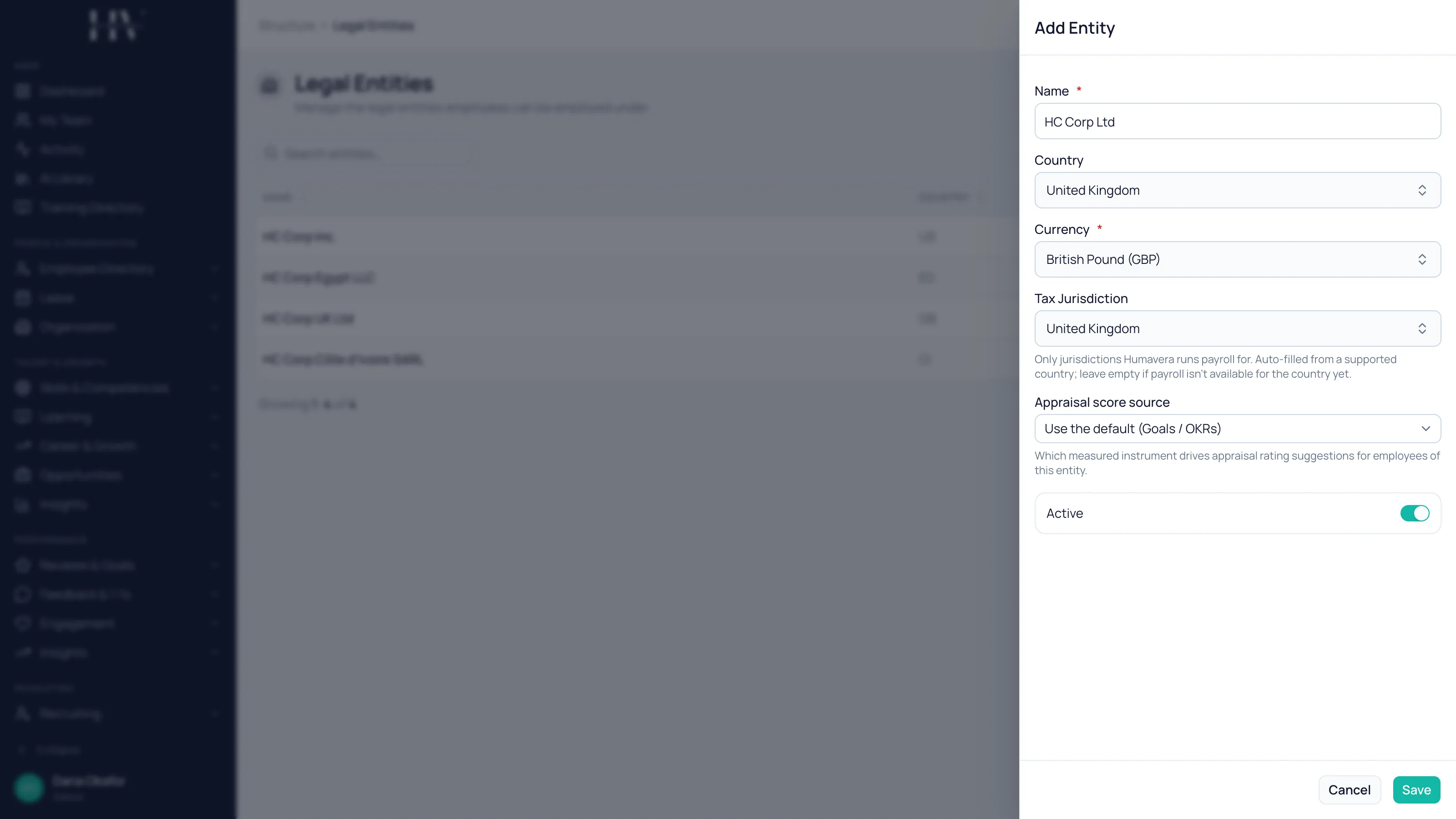
Enter the Name of the registered company.
Example:
HC Corp UK Ltd— the name as it is registered at Companies House, not a trading name or an office nickname. -
Choose the Country where the company is registered.
Example:
United Kingdom, because HC Corp UK Ltd is registered in London. -
Choose the Currency the company pays its people in.
Example:
GBP, since HC Corp UK Ltd pays its staff in pounds sterling. -
Choose the Tax Jurisdiction.
Example:
United Kingdom, which prefills PAYE and National Insurance as the statutory deductions HMRC expects. -
Leave Active switched on.
-
Select Save.
Options on this screen
Section titled “Options on this screen”| Option | Description |
|---|---|
| Name | The registered company name. It appears on employee records and payroll reports. |
| Country | Where the company is registered. It drives which tax jurisdictions are offered. |
| Currency | The currency payroll runs in for this entity. Humavera does not convert between currencies. |
| Tax Jurisdiction | Which country’s payroll rules apply. Only jurisdictions Humavera runs payroll for are listed, and it is filled in automatically for a supported country. |
| Active | Whether the entity can be assigned to employees. Turn it off to retire an entity without deleting it. |
If your country is not listed
Section titled “If your country is not listed”The Tax Jurisdiction list contains the jurisdictions Humavera currently runs payroll for, and we are actively adding more.
If your country is not listed yet, set the entity’s currency manually and carry on — the entity works normally for everything except payroll. Employees, structure, leave, performance, learning, and the rest are all unaffected.
You can also contact us at support@humavera.com and we will begin the work to add it.
What happens next
Section titled “What happens next”Your entity becomes selectable everywhere an employee’s employer matters: on employee records, on pay groups, and on statutory profiles. Create one entity per registered company before you move on — two offices of the same company are locations, not separate entities.
Related
Section titled “Related”© 2025-2026 Humavera Documentation - BPilot Ltd. All Rights Reserved