

Getting Started
What this achieves
Section titled “What this achieves”This section walks you through the six steps that turn an empty Humavera workspace into one your company can actually use. By the end you will have your legal companies recorded, your structure built, your people loaded, payroll configured, and your colleagues invited.
Required role: Administrator.
The six steps
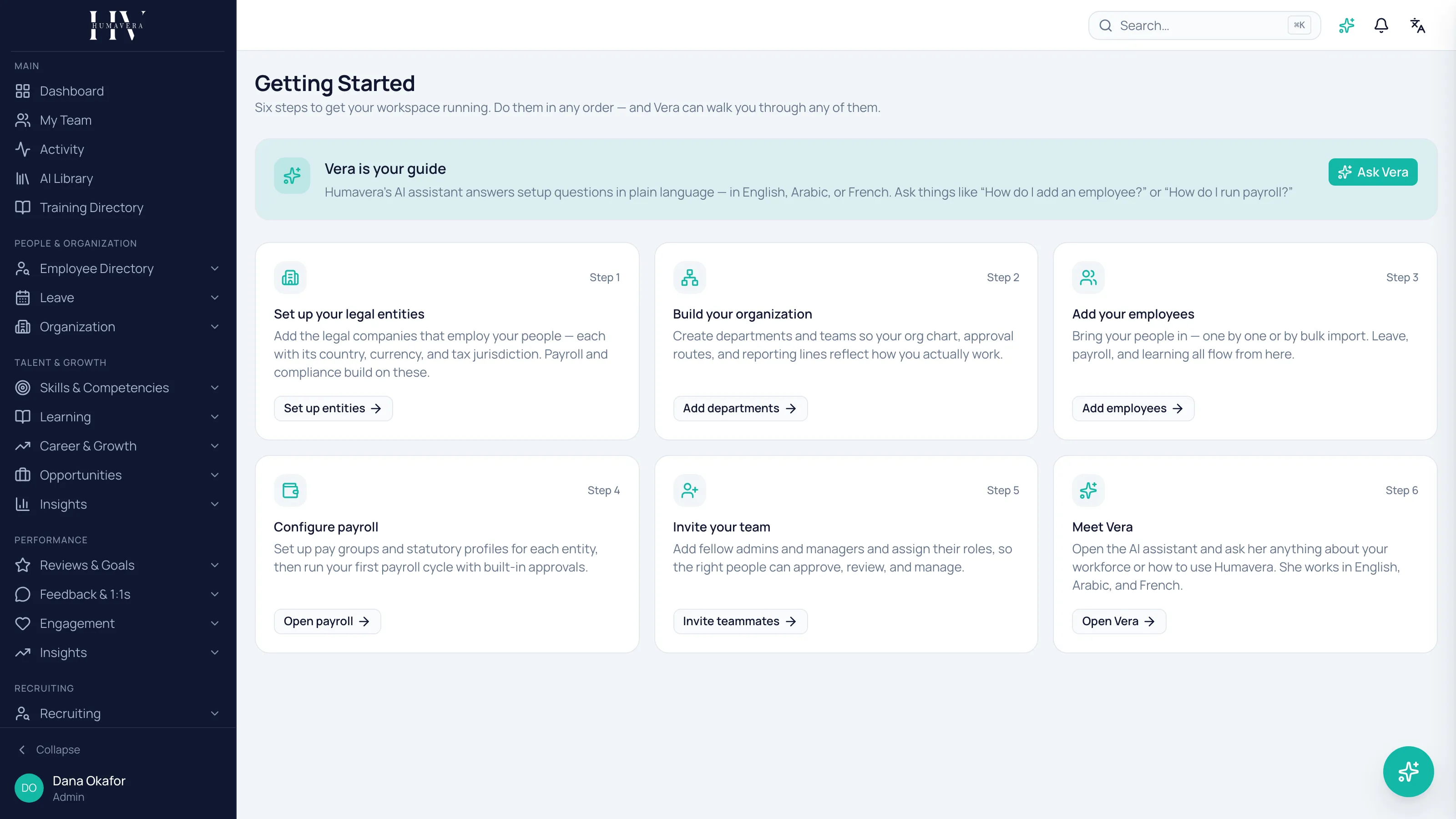
Section titled “The six steps”Humavera shows these same six steps in the product under Getting Started. You can do them in any order, but the order below is the one that creates the least rework, because each step depends on the one above it.
| Step | What you do | Why it comes here |
|---|---|---|
| 1. Set up your legal entities | Add the registered companies that employ your people. | Everything else attaches to an entity, including payroll and tax rules. |
| 2. Build your organization | Create business units and departments. | Employees are assigned to departments, so these exist first. |
| 3. Add your employees | Load your people into Humavera. | Leave, payroll, and learning all read from employee records. |
| 4. Configure payroll | Set up pay groups and statutory profiles, then run payroll. | Payroll needs entities, departments, and employees already in place. |
| 5. Invite your team | Give colleagues their own sign-in and role. | Invite people once there is something for them to work on. |
| 6. Meet Vera | Ask the built-in assistant your questions. | Vera can answer questions about any of the steps above. |
Example: if you add employees before creating departments, every employee record is missing a department and you have to edit them all afterwards. Doing step 2 first avoids that.
Where to find this in the product
Section titled “Where to find this in the product”Open Getting Started from the main navigation. Each card there links to the same screen the matching page below describes.
What happens next
Section titled “What happens next”Work through the six pages in order. When you finish, read Where to go next, which points you at the parts of Humavera worth configuring once the basics are running.
Related
Section titled “Related”© 2025-2026 Humavera Documentation - BPilot Ltd. All Rights Reserved