

Set up a pay group
What this achieves
Section titled “What this achieves”A pay group is a set of employees paid on the same calendar, under one legal entity. Payroll runs against a pay group rather than against the whole company, so the group decides who is paid together and when.
Required role: Administrator.
Before you start
Section titled “Before you start”Create the legal entity first. A pay group belongs to one entity, and the entity is what supplies the group’s currency.
-
Go to Payroll → Pay Groups.
-
Select Add Group.
-
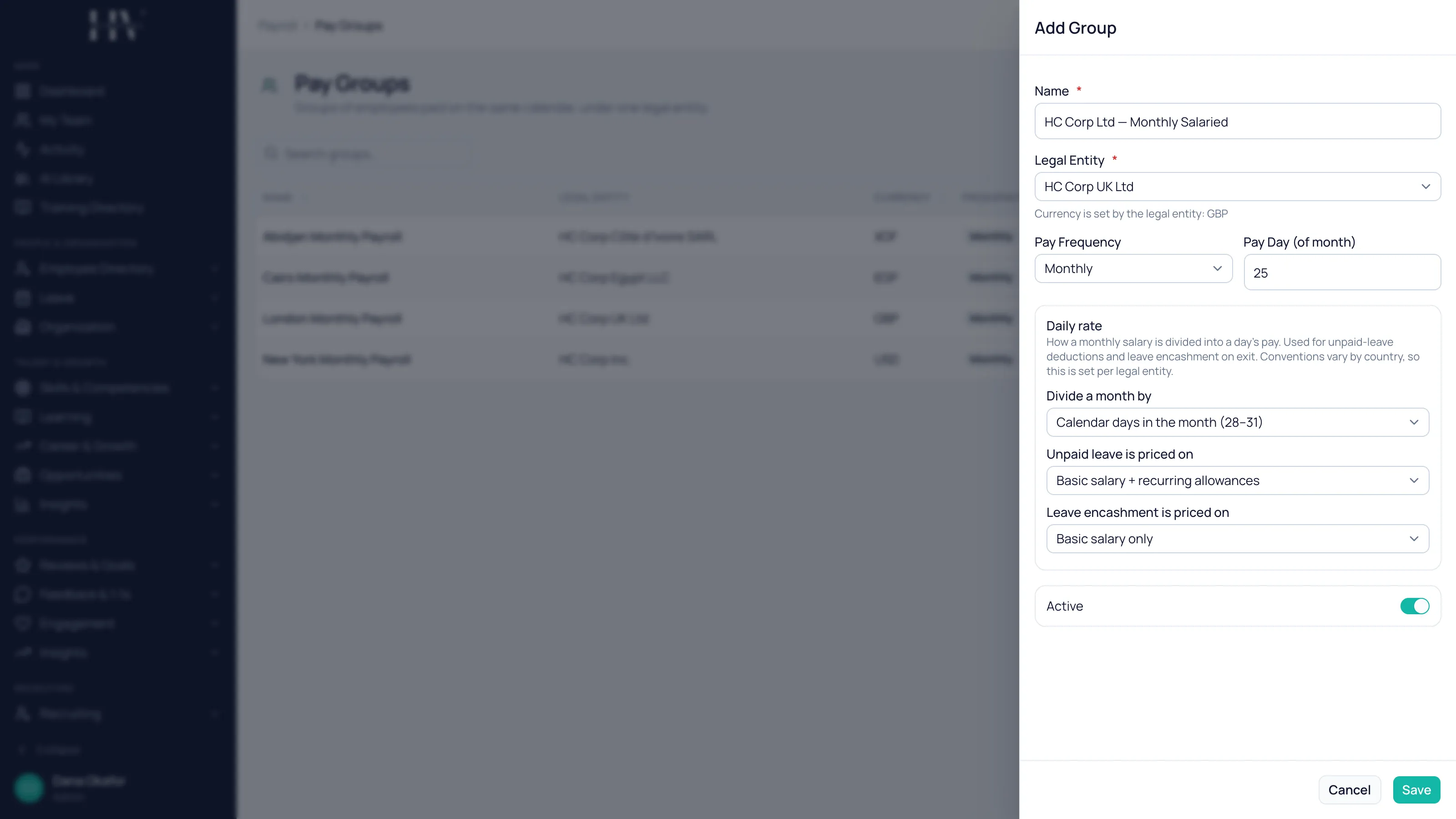
Enter a Name.
Example:
HC Corp UK Ltd — Monthly Salaried. -
Choose the Legal Entity.
-
Choose the Pay Frequency.
-
Set the Pay Day (of month).
-
Leave Active switched on.
-
Select Save.
Currency is inherited, not chosen
Section titled “Currency is inherited, not chosen”You do not pick a currency on a pay group. It comes from the legal entity, and the form tells you which currency the group will use once you have chosen the entity.
Example: choosing HC Corp UK Ltd gives the group GBP, because that is the entity’s currency. Paying someone in a different currency means a different entity, not a different pay group.
Pay frequency
Section titled “Pay frequency”| Option | Description |
|---|---|
| Monthly | Paid once a month. |
| Bi-weekly | Paid every two weeks. |
| Weekly | Paid every week. |
Example: HC Corp UK Ltd runs a monthly group for salaried staff in London and a weekly group for warehouse staff in Operations. Both sit under the same legal entity, because the entity is the same registered company — only the calendar differs.
Options on this screen
Section titled “Options on this screen”| Option | Description |
|---|---|
| Name | What the group is called. It identifies the group when you create a run. |
| Legal Entity | The registered company employing this group. It sets the group’s currency and the statutory rules that apply. |
| Pay Frequency | How often the group is paid. |
| Pay Day (of month) | The day of the month the group is paid on. |
| Active | Whether the group can be used. Turn it off to retire a group without deleting it. |
What happens next
Section titled “What happens next”A pay run is created against one pay group for one period, so the groups you define here determine how many runs you process each month. Employees are drawn into a run through the group, and the group’s entity decides which statutory profile applies to them.
Related
Section titled “Related”© 2025-2026 Humavera Documentation - BPilot Ltd. All Rights Reserved