

Add a skill to the library
What this achieves
Section titled “What this achieves”A skill is one entry in your organization’s shared vocabulary of abilities. Once it exists it can be attached to job profiles, granted by courses, assessed on individuals, and compared against requirements.
Required role: Administrator.
Before you start
Section titled “Before you start”Define the proficiency scale first. A skill is rated against one, so the scale should exist before the library is built on top of it.
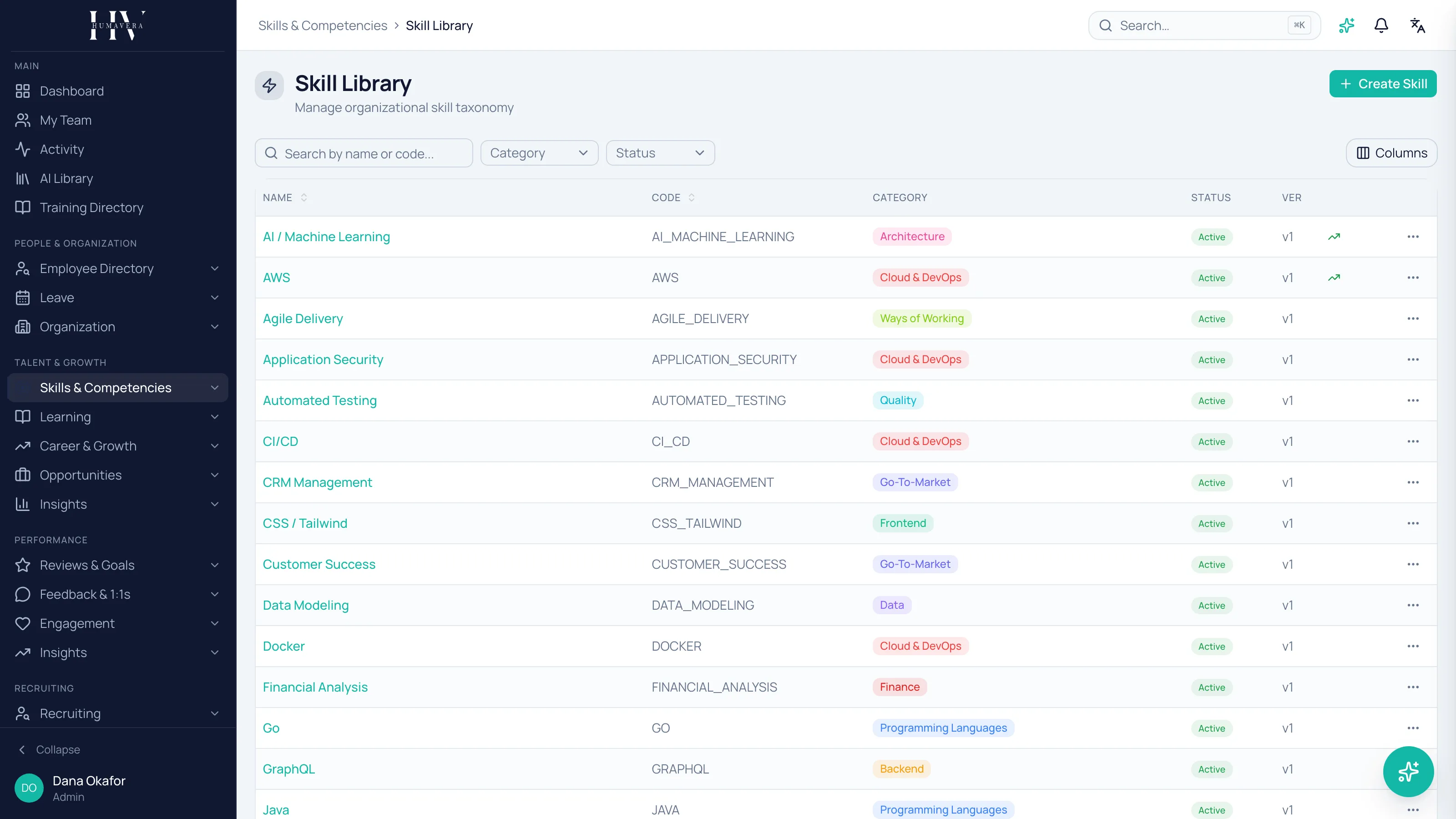
- Go to Skills & Competencies → Skill Library.
- Create a new skill.
- Enter the Name, Code, and Description.
- Choose the Category and Subcategory.
- Choose the Proficiency Scale.
- Add Synonyms and Tags.
- Set the Color and Sort Order if you use them for navigation.
- Save.
Synonyms are how people find things
Section titled “Synonyms are how people find things”Two teams will describe the same ability differently, and without synonyms they will create two entries for it. Add the alternative names your people genuinely use.
Example: an HC Corp UK Ltd engineer and a recruiter may search for the same capability under different words. One skill with both as synonyms keeps the library from splitting in two.
Status and versions
Section titled “Status and versions”| Option | Description |
|---|---|
| Draft | Being prepared. |
| Active | In use. |
| Deprecated | Withdrawn. |
Skills are versioned, and the skill’s version history records each published version and who published it. That is what lets you interpret an assessment made two years ago against the definition in force at the time.
Deprecating cannot be undone
Section titled “Deprecating cannot be undone”Deprecating a skill is irreversible — there is no way to reactivate it. Deleting is equally final.
Before doing either, check what references the skill: job profiles requiring it, courses granting it on completion, and employees holding it on their profiles.
Example: deprecating a skill at HC Corp UK Ltd that a job profile still requires leaves that profile pointing at a withdrawn entry, and it cannot be brought back.
Linked competencies
Section titled “Linked competencies”A skill’s detail shows the competencies it is linked to, with the Weight and whether the mapping is Required. Linking is done from the competency side, so a skill accumulates these as competencies are built around it.
Market signals
Section titled “Market signals”A skill can be marked as trending and can carry a market demand figure. Treat both as context for planning rather than a fact about your own workforce — they say something about the market, not about who in your company holds the skill.
What happens next
Section titled “What happens next”An active skill can be required by a job profile, granted by a course on completion, assessed on an individual, and endorsed by colleagues. Those held levels are what gap analysis compares against role requirements. Skills held by employees also begin accruing freshness from the date they were last validated.
Related
Section titled “Related”© 2025-2026 Humavera Documentation - BPilot Ltd. All Rights Reserved