

Add a pay element
What this achieves
Section titled “What this achieves”A pay element is a named line that can appear on a payslip, such as basic pay, a travel allowance, or a pension deduction. Defining it once fixes how that line is treated for tax and social insurance, so every pay run handles it the same way for everyone.
Required role: Administrator.
Before you start
Section titled “Before you start”Decide the tax treatment before you open the form. The two treatment switches are the whole point of the element, and changing them later changes what people are paid.
-
Go to Payroll → Pay Elements.
-
Select Add Element.
-
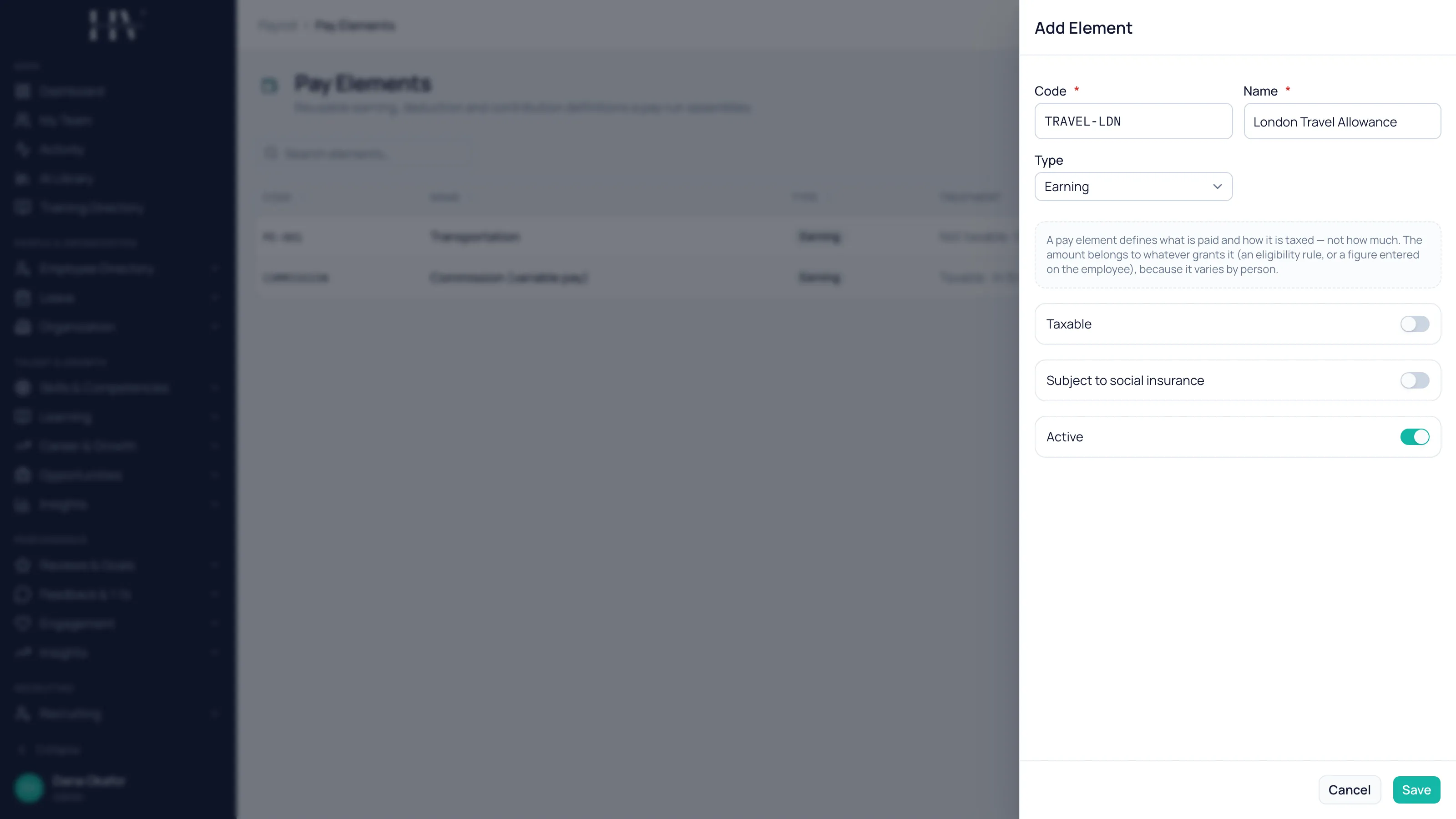
Enter a Code and a Name.
Example: code
TRAVEL-LDNwith the nameLondon Travel Allowance. -
Choose the Type.
-
Choose the Method.
-
Set Taxable and Subject to social insurance to match how this element is treated in your jurisdiction.
-
Leave Active switched on.
-
Select Save.
An element defines what, not how much
Section titled “An element defines what, not how much”This is the rule that decides how the whole section fits together. A pay element defines what is paid and how it is taxed — not how much. The amount comes from whatever grants the element, because it varies by person.
Example: London Travel Allowance says a travel allowance is taxable and sits outside the social-insurance base. It does not say £250. The £250 comes from an eligibility rule, or from a figure entered on the employee.
| Option | Description |
|---|---|
| Earning | Adds to gross pay. |
| Deduction | Subtracts from the employee’s pay. |
| Employer Contribution | A cost the employer carries on top of pay. It does not reduce take-home pay. |
| Statutory | An element driven by the statutory profile for the jurisdiction rather than by a figure you enter. |
Method
Section titled “Method”| Option | Description |
|---|---|
| Fixed amount | A set amount, entered with a currency. |
| % of base | A percentage of the employee’s base salary. |
| Statutory | The value comes from the statutory profile rather than from this element. |
Treatment
Section titled “Treatment”These two switches are what an auditor will ask about, and they are the reason the element exists as a reusable definition rather than a free-text payslip line.
| Option | Description |
|---|---|
| Taxable | Whether the amount is included in taxable pay. |
| Subject to social insurance | Whether the amount enters the social-insurance base. |
Example: at HC Corp UK Ltd a taxable allowance increases the PAYE Priya Raman calculates for the employee. An element marked as entering the social-insurance base also changes the National Insurance figure, so the two switches are set independently.
What happens next
Section titled “What happens next”The element becomes available to everything that pays money into a payslip line. An eligibility rule can grant it to everyone matching a set of criteria, a commission plan can pay a payout into it, and a statutory profile can reference an element for a taxable benefit charge. Nobody is paid anything by creating an element on its own.
Related
Section titled “Related”© 2025-2026 Humavera Documentation - BPilot Ltd. All Rights Reserved